Appearance
Routing Rules
Rules control where notifications are delivered. Without rules, messages are stored in History but not sent anywhere.
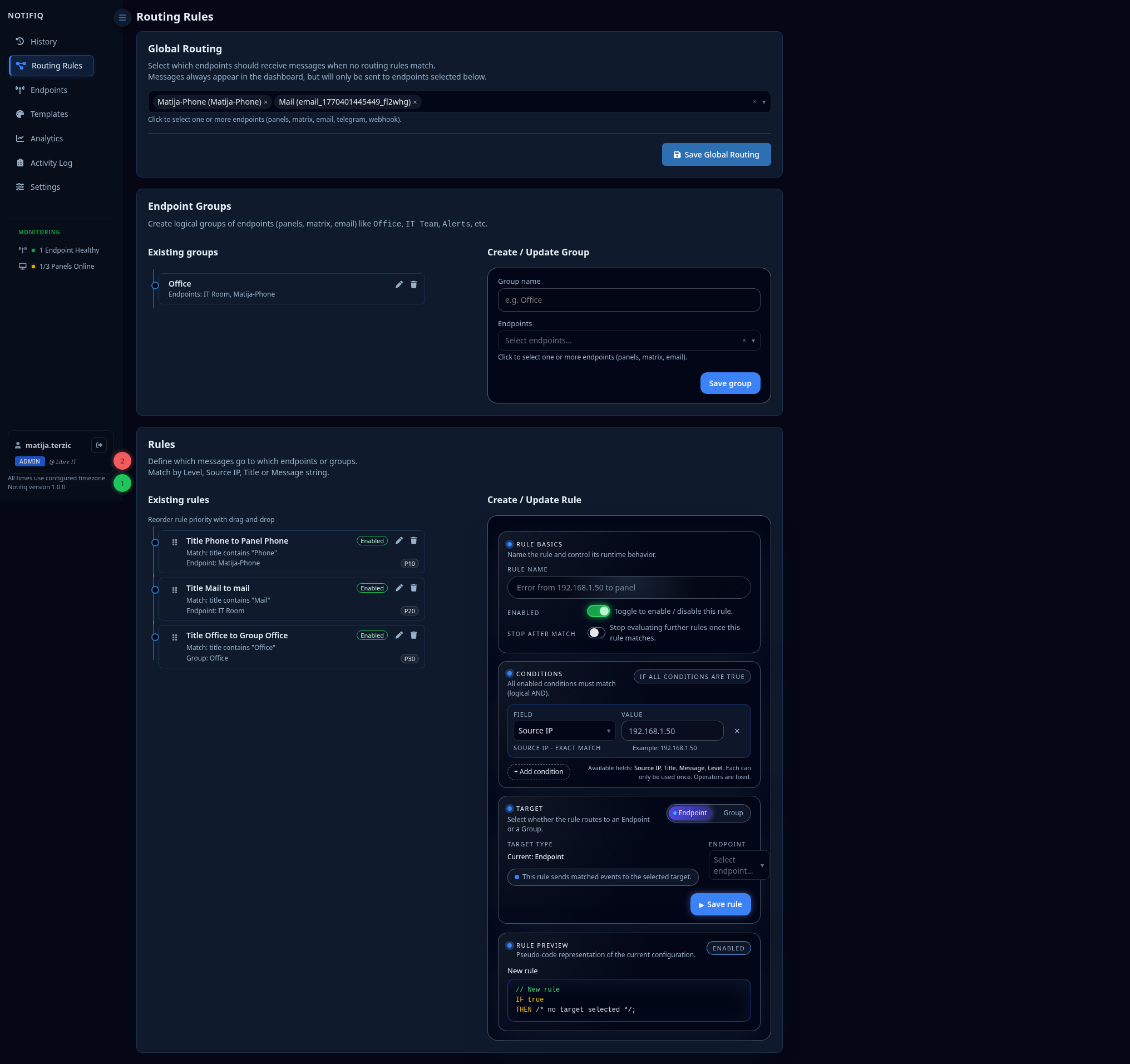
Structure
A rule has three parts:
- Conditions — which messages this rule applies to
- Targets — which endpoints or groups receive matching messages
- Priority — rules are evaluated in order; first match wins (or all matches, depending on mode)
Global Routing
The Global Routing section defines the default endpoints that receive all messages unless a more specific rule matches. Think of it as the catch-all fallback.
Endpoint Groups
Group endpoints together to route to multiple destinations at once. For example:
on-call— Telegram + a panellogging— webhook to your log aggregator
Groups are reusable across multiple rules.
Rule Conditions
| Condition | Description |
|---|---|
| Level | Match critical, error, warning, info, success or custom level |
| Source IP | Match the auto-detected connection IP |
| IP | Match the sender-supplied ip field from the notify payload |
| Host | Match the sender-supplied host field from the notify payload |
| Title | Match text in the title |
| Message | Match text in the message body |
Multiple conditions within a rule are combined with AND logic.
Example rules
Send critical alerts to on-call Telegram:
- Condition: Level =
critical - Target:
on-callgroup (Telegram bot)
Send all Wazuh alerts to the security panel:
- Condition: Source IP is
192.168.10.5 - Target:
security-panelendpoint
Route recovery messages to a separate channel:
- Condition: Level =
success - Target:
recovery-loggroup