Appearance
Templates
Templates let you customize how notifications are formatted for each endpoint type.
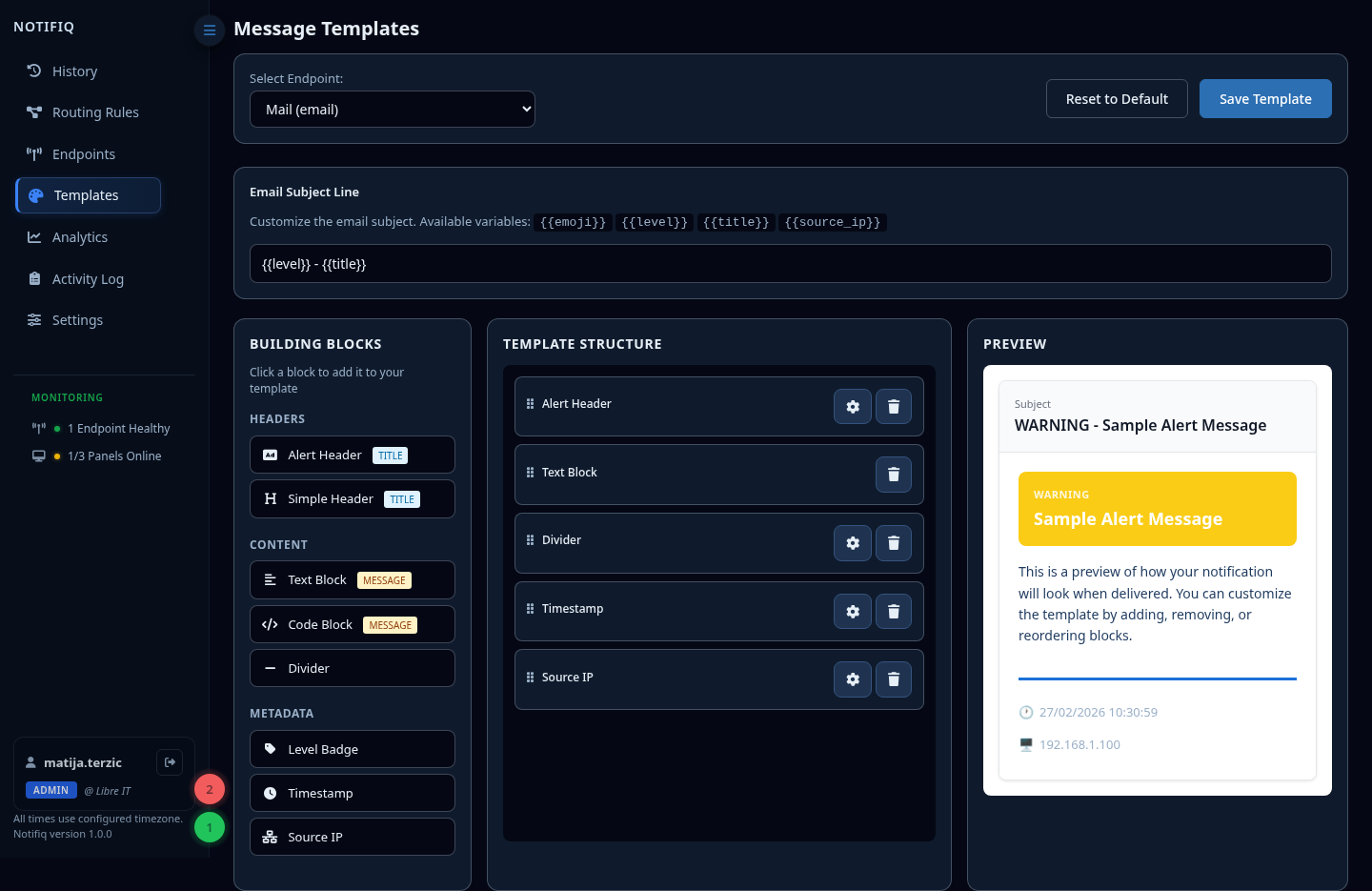
How templates work
Each endpoint type (Email, Telegram, Matrix) has its own template. When a message is delivered, Notifiq renders it using the template for that destination.
Select an endpoint from the dropdown to open its template builder.
Building blocks
The template builder uses drag-and-drop blocks:
| Block type | Description |
|---|---|
| Alert Header | Alert-style header with level color and optional icon and level badge |
| Simple Header | A header with only the title |
| Text Block | The message |
| Code Block | Monospace, preformatted message |
| Divider | Visual separator with styling options |
| Level Badge | Severity badge |
| Timestamp | When the message arrived with styling options |
| Source IP | Auto-detected connection IP, with styling options |
| IP | Sender-supplied ip field from the notify payload, with styling options |
| Host | Sender-supplied host field from the notify payload, with styling options |
Email subject line
For email endpoints, configure the subject line separately from the body template.
Use {{variable}} syntax in Email Subject Line:
| Variable | Value |
|---|---|
{{emoji}} | Level emoji (e.g. 🔴) |
{{level}} | Level name (e.g. critical) |
{{title}} | Message title |
{{source_ip}} | Auto-detected connection IP |
{{ip}} | Sender-supplied ip field from the notify payload |
{{host}} | Sender-supplied host field from the notify payload |
Resetting templates
Click Reset to Default to restore the factory template for the selected endpoint.