Appearance
Settings — API Tokens
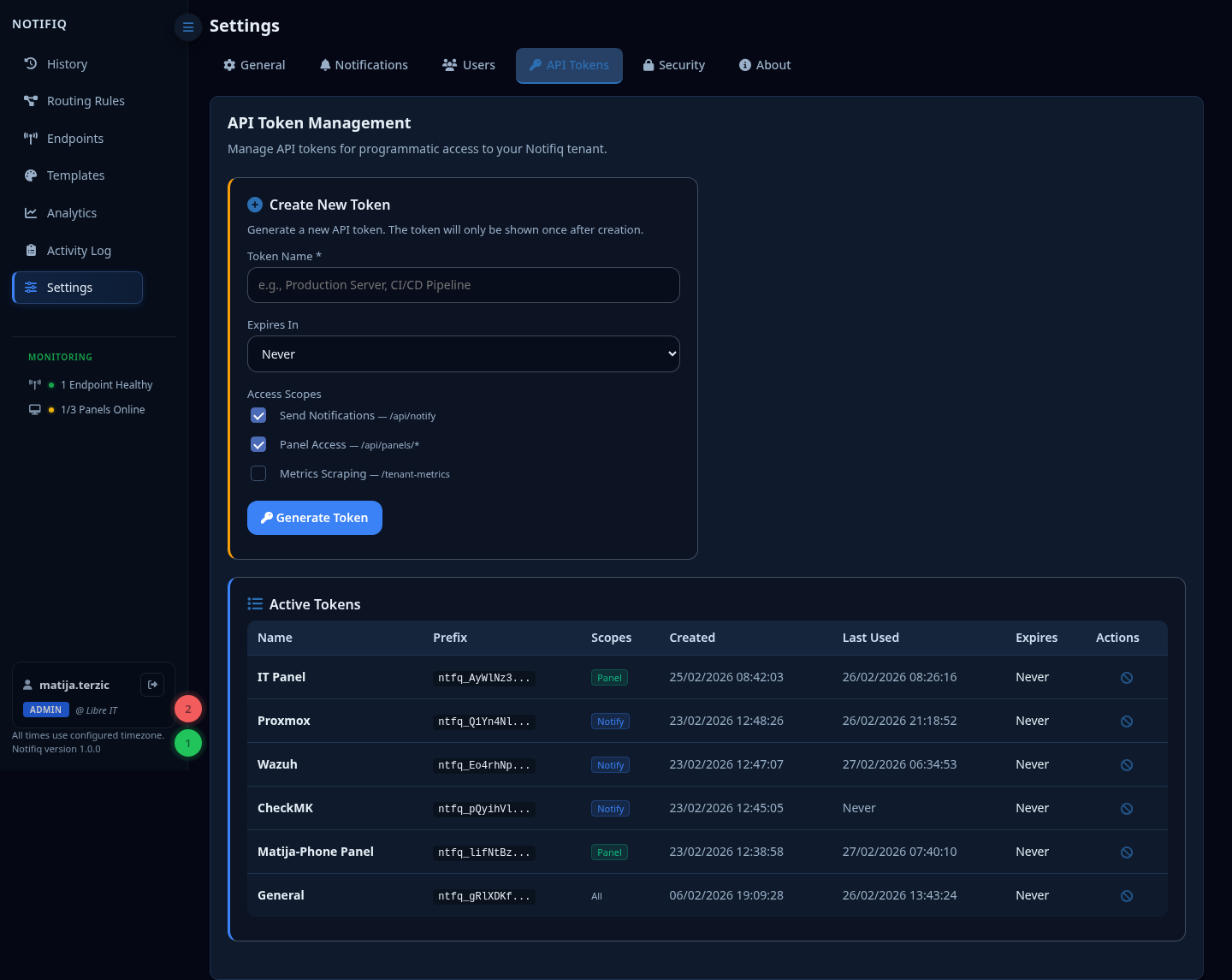
API tokens are used to authenticate requests to the Notifiq API.
Creating a token
- Go to Settings → API Tokens
- Click New Token
- Enter a name (e.g.
checkmk-prod,android-panel) - Choose an expiry (or leave blank for no expiry)
- Select scopes
- Copy the token — it will only be shown once
Scopes
Tokens can be restricted to specific operations:
| Scope | Allows |
|---|---|
| Notify | POST /api/notify — send notifications |
| Panel | Panel registration, SSE connection, heartbeat |
| Metrics | GET /tenant-metrics — Prometheus scraping |
A token with all three scopes has full API access. A token with only Notify cannot connect as a panel or read metrics.
Token security
- Tokens are hashed with bcrypt before storage — not recoverable after creation
- Revoke tokens immediately if compromised
- Use short-lived tokens for temporary integrations
- Create one token per integration for easy revocation
Revoking a token
Click the Revoke button next to any token. Revoked tokens stop working immediately.