Appearance
Settings — Security
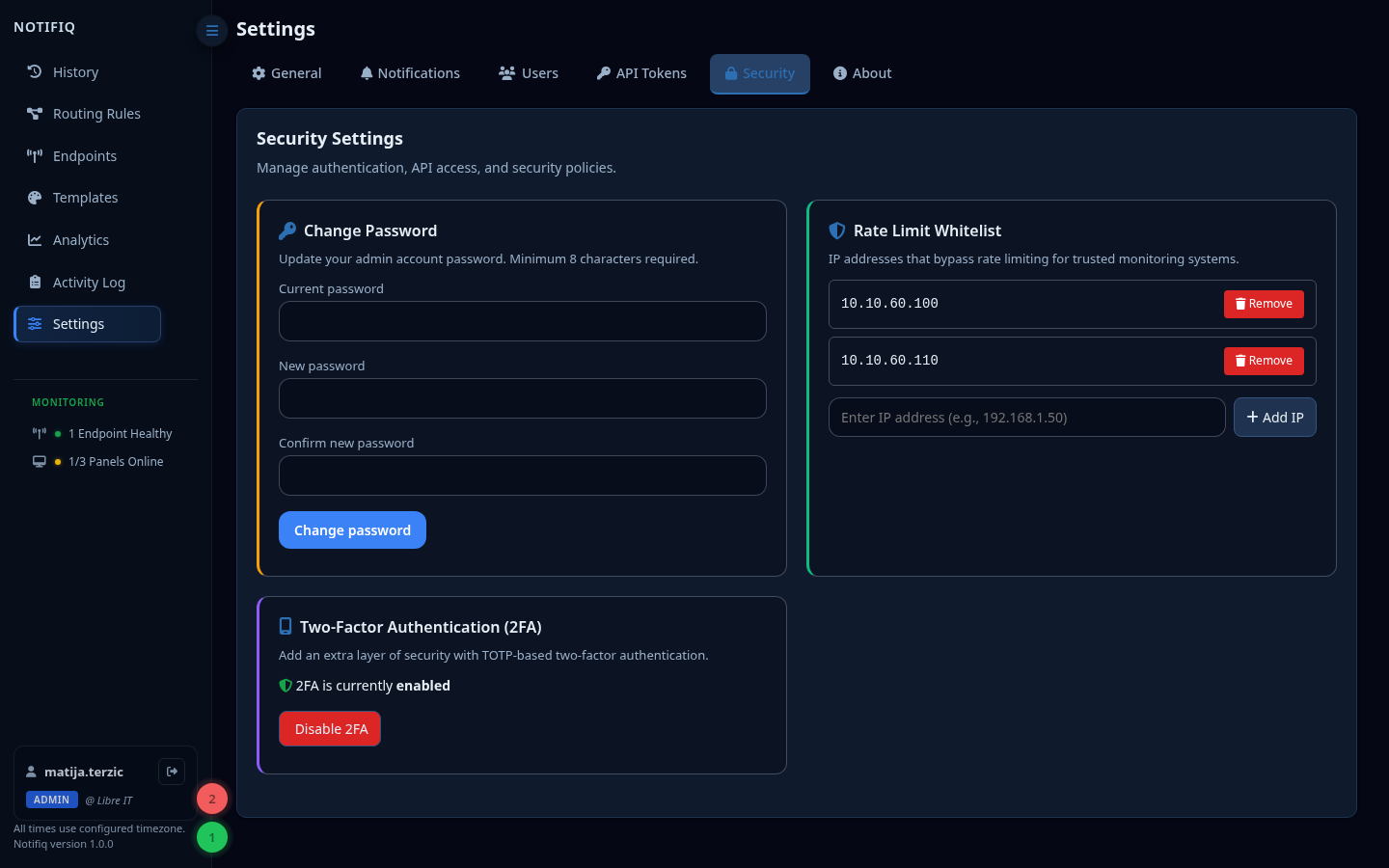
Rate limiting
Notifiq applies rate limits to protect against abuse:
- Login / password reset — limited per IP to prevent brute force
/api/notify— limited per tenant to prevent flooding
Rate limit whitelist
Add IP addresses or CIDR ranges (e.g. 10.0.5.0/24) that are exempt from the /api/notify rate limit. Use this for monitoring systems (CheckMK, Zabbix, Wazuh) that send high volumes of legitimate alerts.
WARNING
The whitelist applies only to /api/notify. Login and password reset endpoints are always rate-limited regardless of IP.
The whitelist is matched against the same IP that appears as Source IP in History — not the ip/host fields you can optionally send in the notification payload. Those are sender-supplied metadata and are never used for rate limiting or any other security decision, since a request body is attacker-controllable before authentication succeeds.
Running behind Cloudflare (or another CDN/reverse proxy)
If Notifiq sits behind a proxy — Cloudflare, a load balancer, or an internal reverse proxy like Traefik/nginx — the "Source IP" the app sees by default may be the proxy's own address rather than the real sender, which makes IP-based whitelisting unreliable.
To fix this, Notifiq prefers the CF-Connecting-IP header when present (Cloudflare sets this to the actual visitor IP on every proxied request, unaffected by how many other proxies sit between Cloudflare and the app). This is used consistently for the Source IP shown in History, the rate limit whitelist check, and per-client rate limit bucketing.
Required: lock down direct access
CF-Connecting-IP is trusted unconditionally — Notifiq has no way to verify a request actually came from Cloudflare's edge. If your origin (or the reverse proxy in front of it, e.g. Traefik) is reachable directly from the internet, anyone can forge this header to impersonate a whitelisted IP and bypass rate limiting entirely.
You must restrict inbound access on the Notifiq/Traefik port to Cloudflare's published IP ranges only (a firewall rule on the VM, e.g. ufw/iptables/your cloud provider's security group). As defense in depth, also configure your reverse proxy's own trusted-proxy list (e.g. Traefik's forwardedHeaders.trustedIPs) to the same ranges.
If you're not behind Cloudflare, this header is simply absent and Notifiq falls back to X-Forwarded-For / the raw connection IP as before.
Session security
Sessions use secure, HTTP-only cookies. The session secret is configured via NOTIFIQ_SESSION_SECRET in .env. Rotate this value to invalidate all active sessions.
HTTPS
When running behind a reverse proxy (Traefik, nginx), set FORCE_HTTPS=true in .env to enforce secure cookies and redirect HTTP to HTTPS.